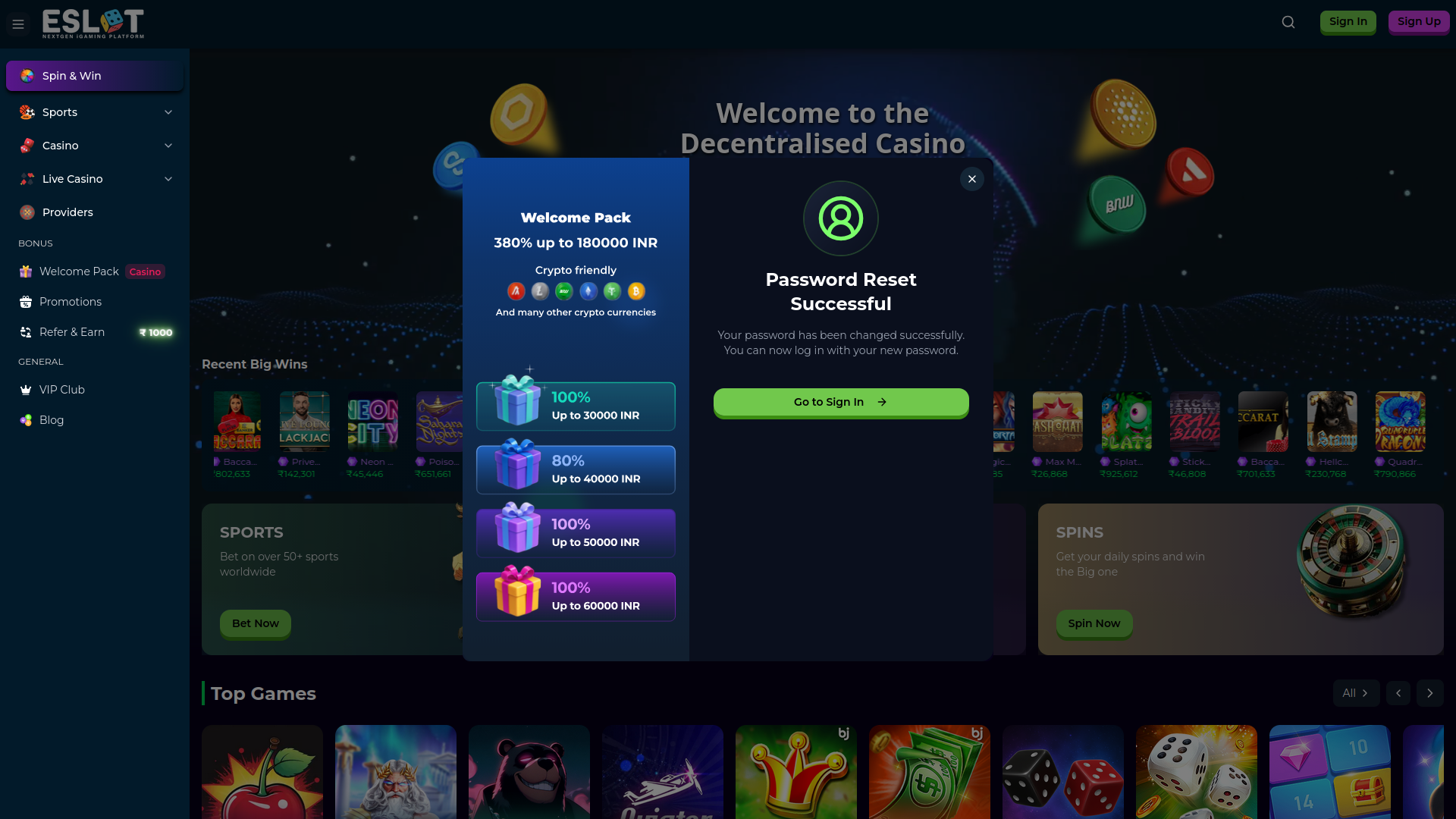
Account Registration
To create a new account:-
Click on the Register button located at the top right corner of the homepage

-
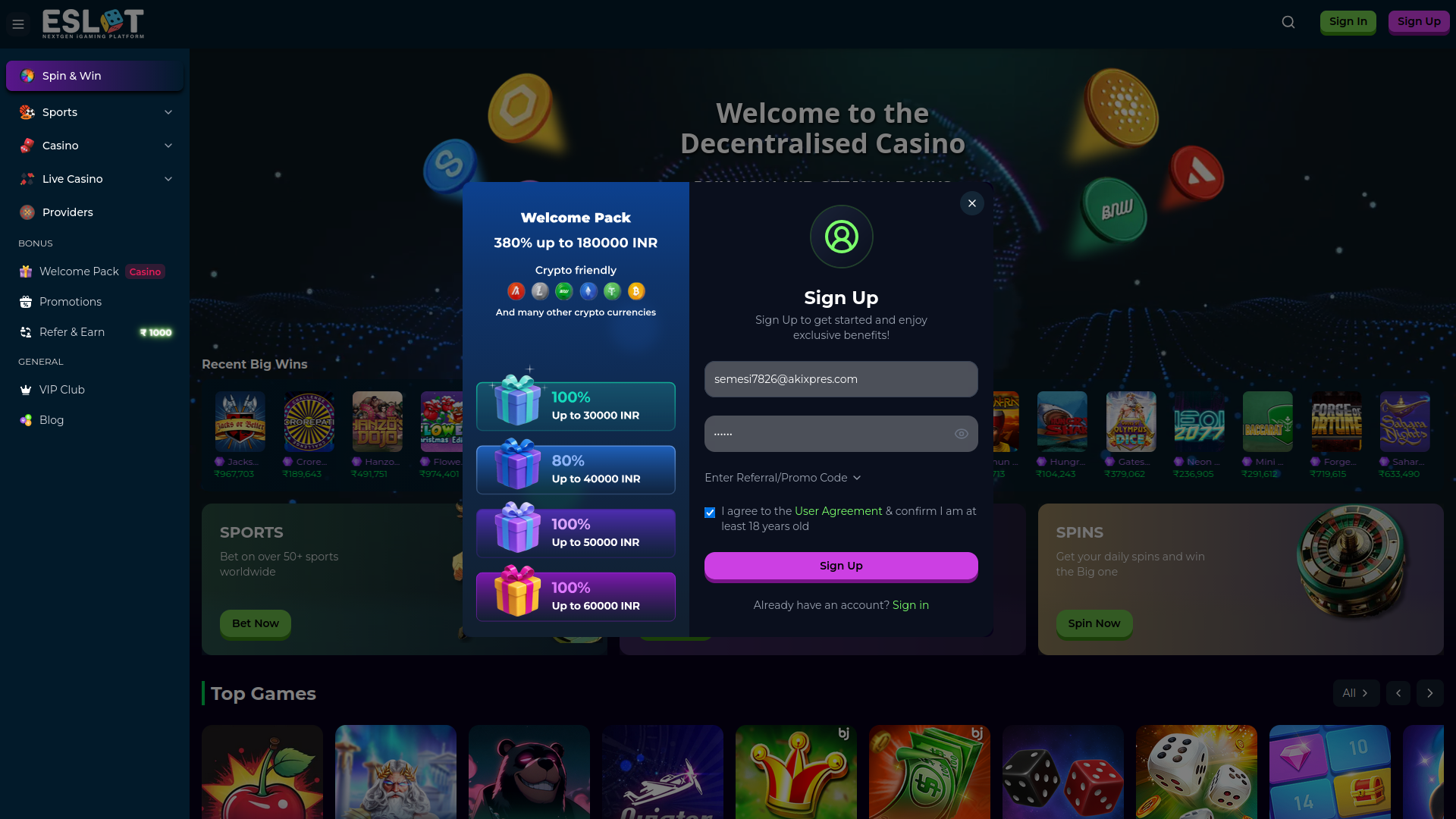
Enter required information (username, phone/email, password). Also accept the Terms & Conditions
-
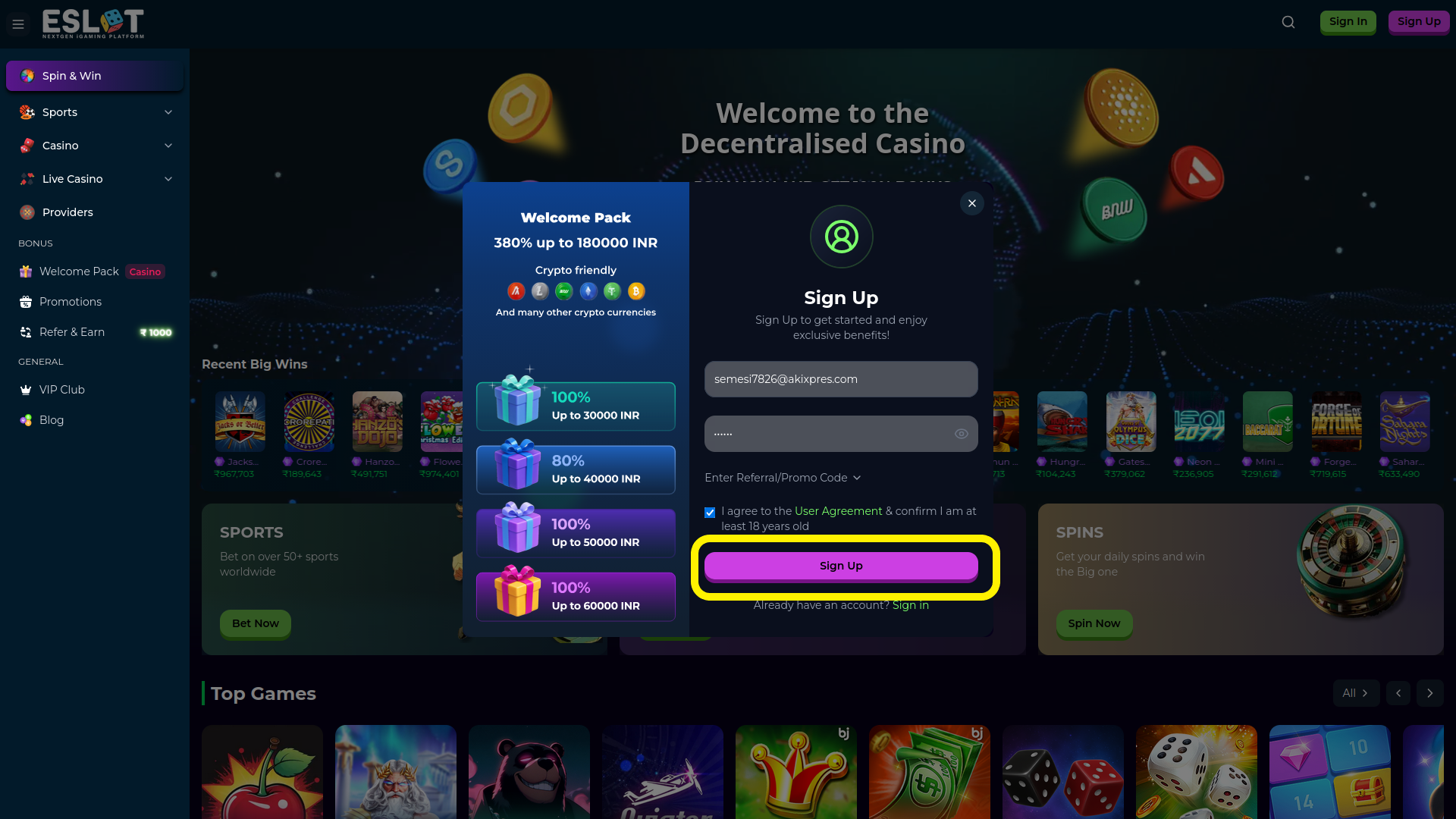
Click Submit / Create Account
-
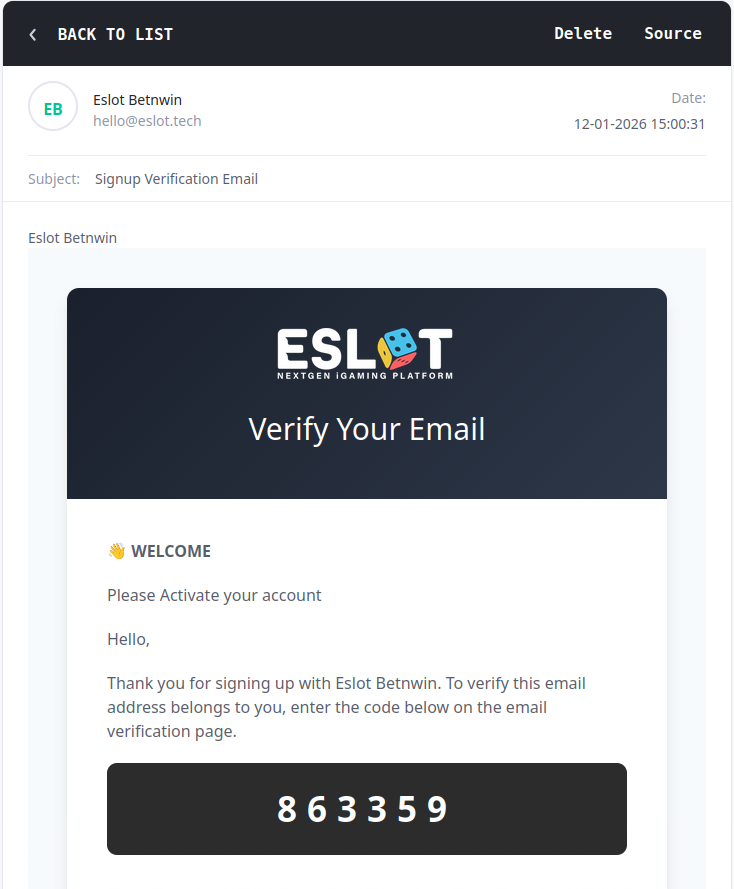
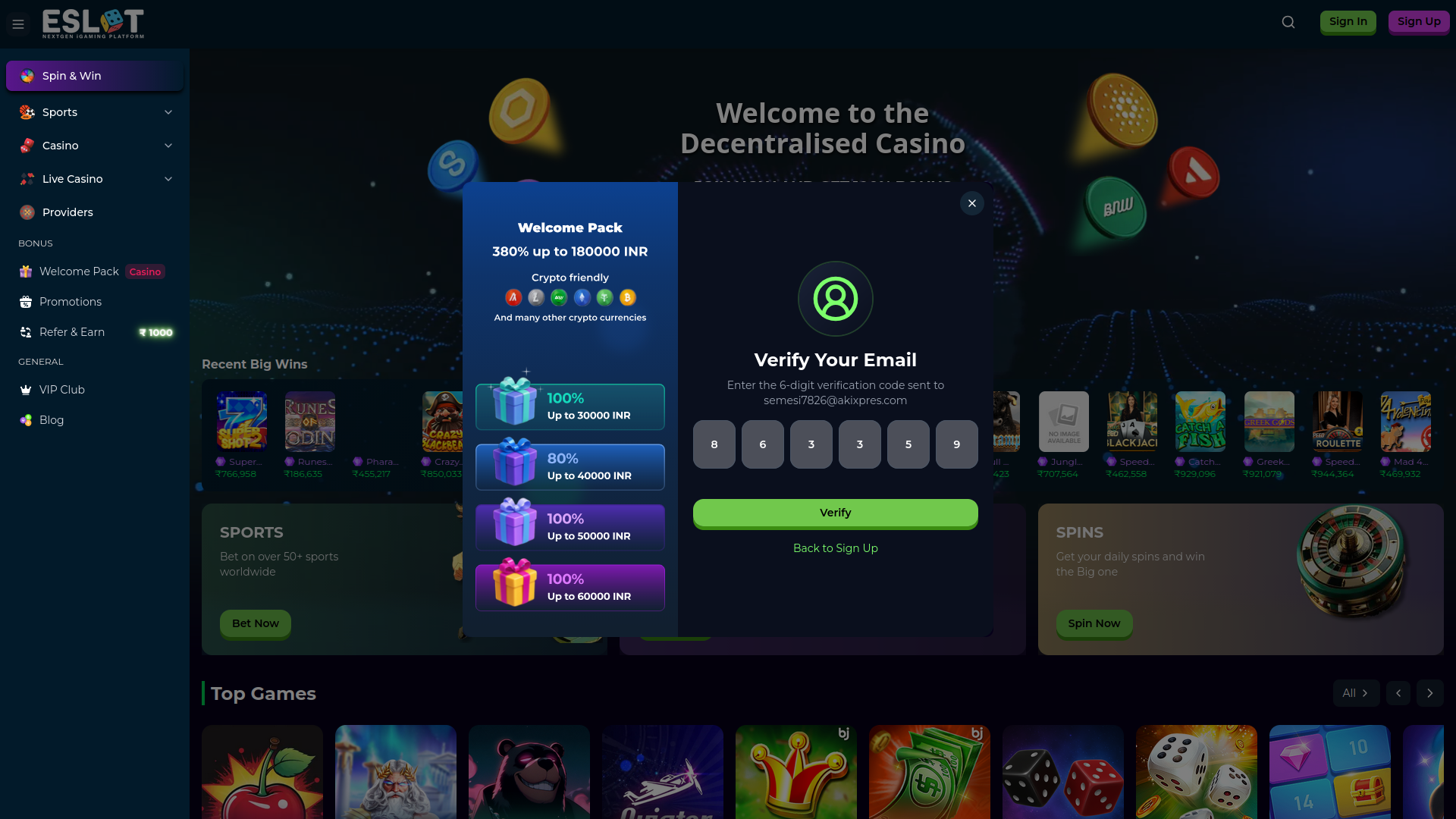
You will receive the OTP at your email
-
Input/submit the OTP code here
-
You will be logged in automatically to the system

User Login
To log in to your account:-
Click the Login/Sign in button on the homepage

-
Enter your registered username/email and password
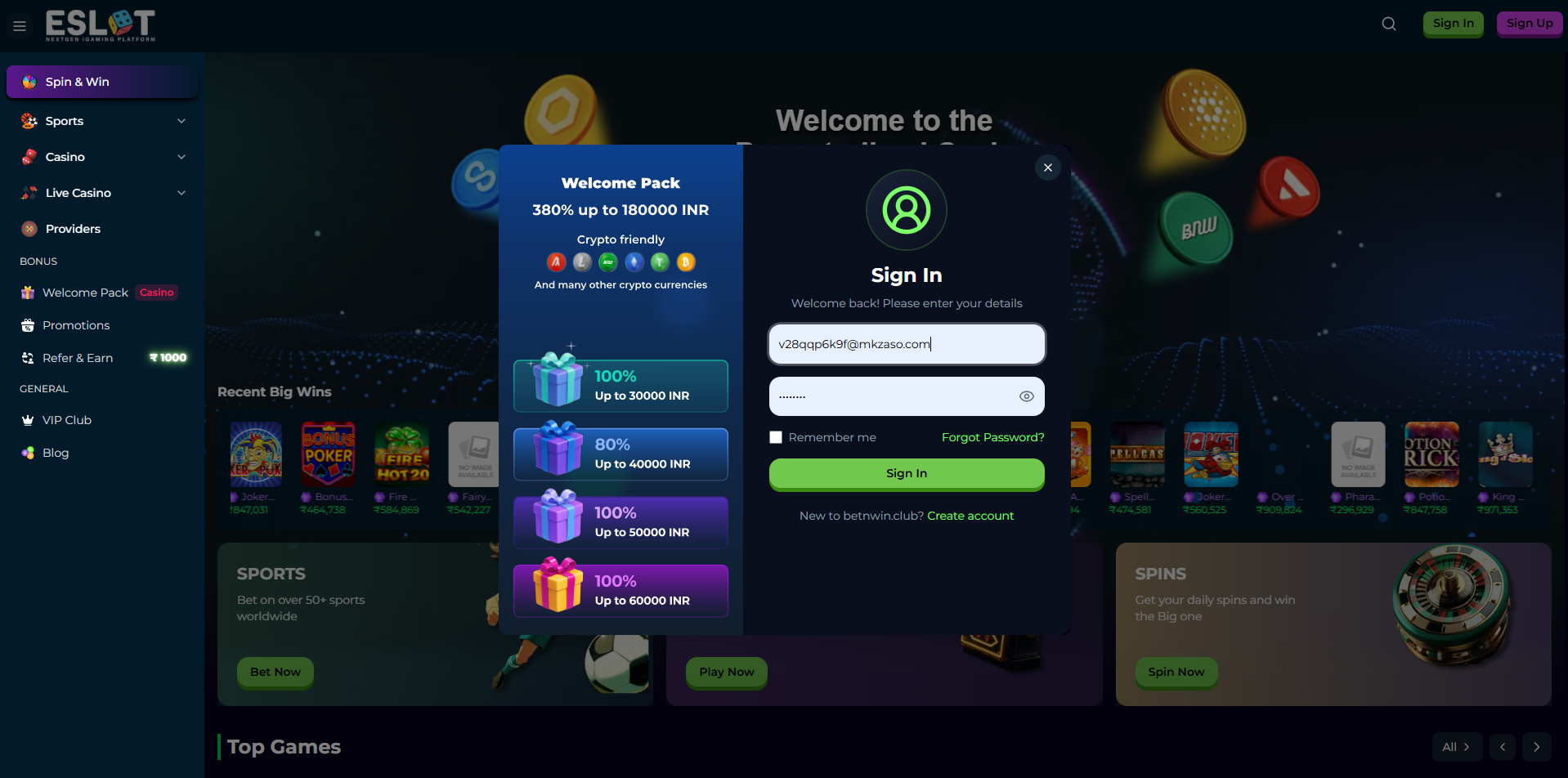
- Click Sign In to access your dashboard
Password Recovery
If you forget your password:-
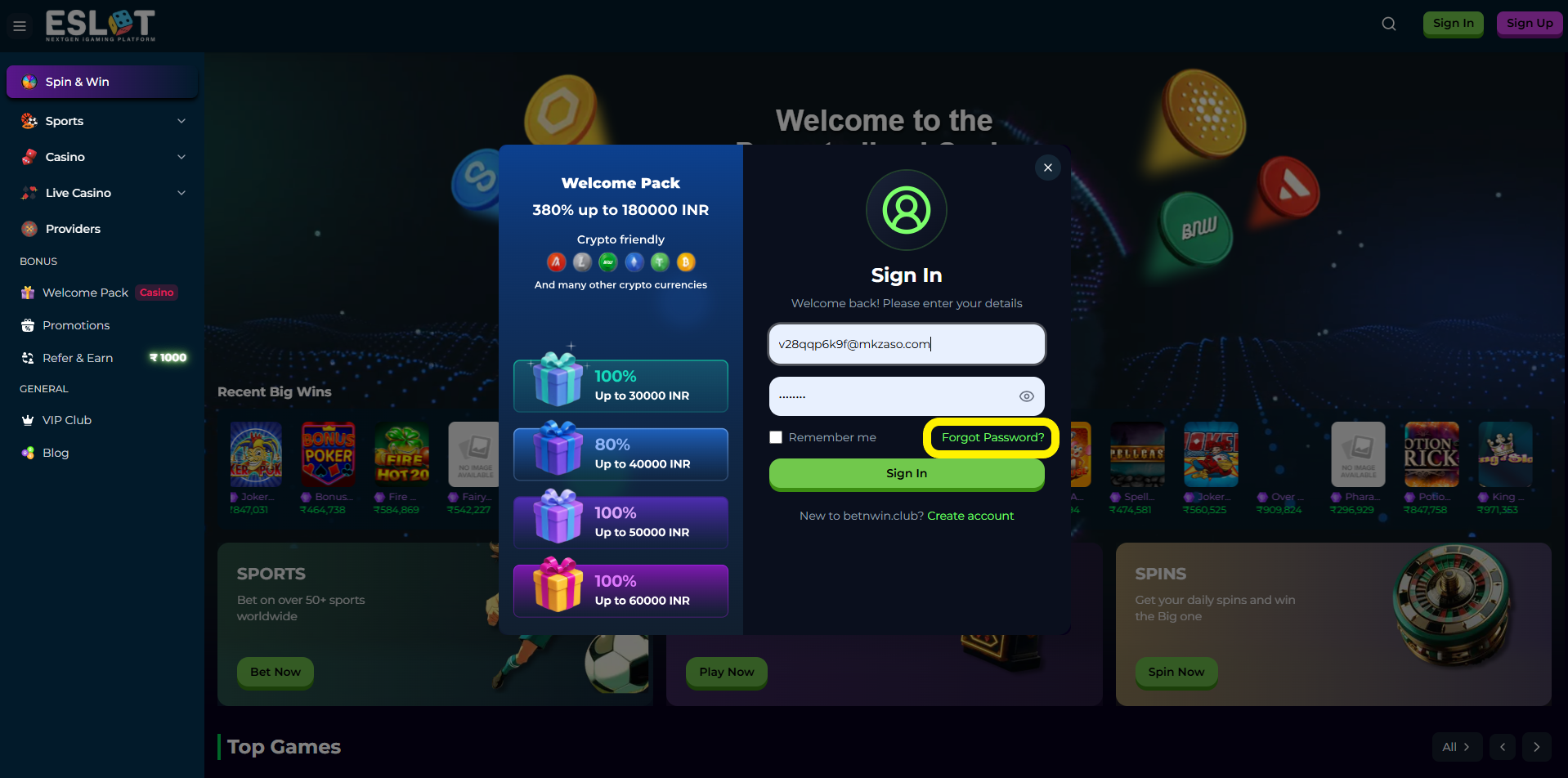
Click Forgot Password on the login page
-
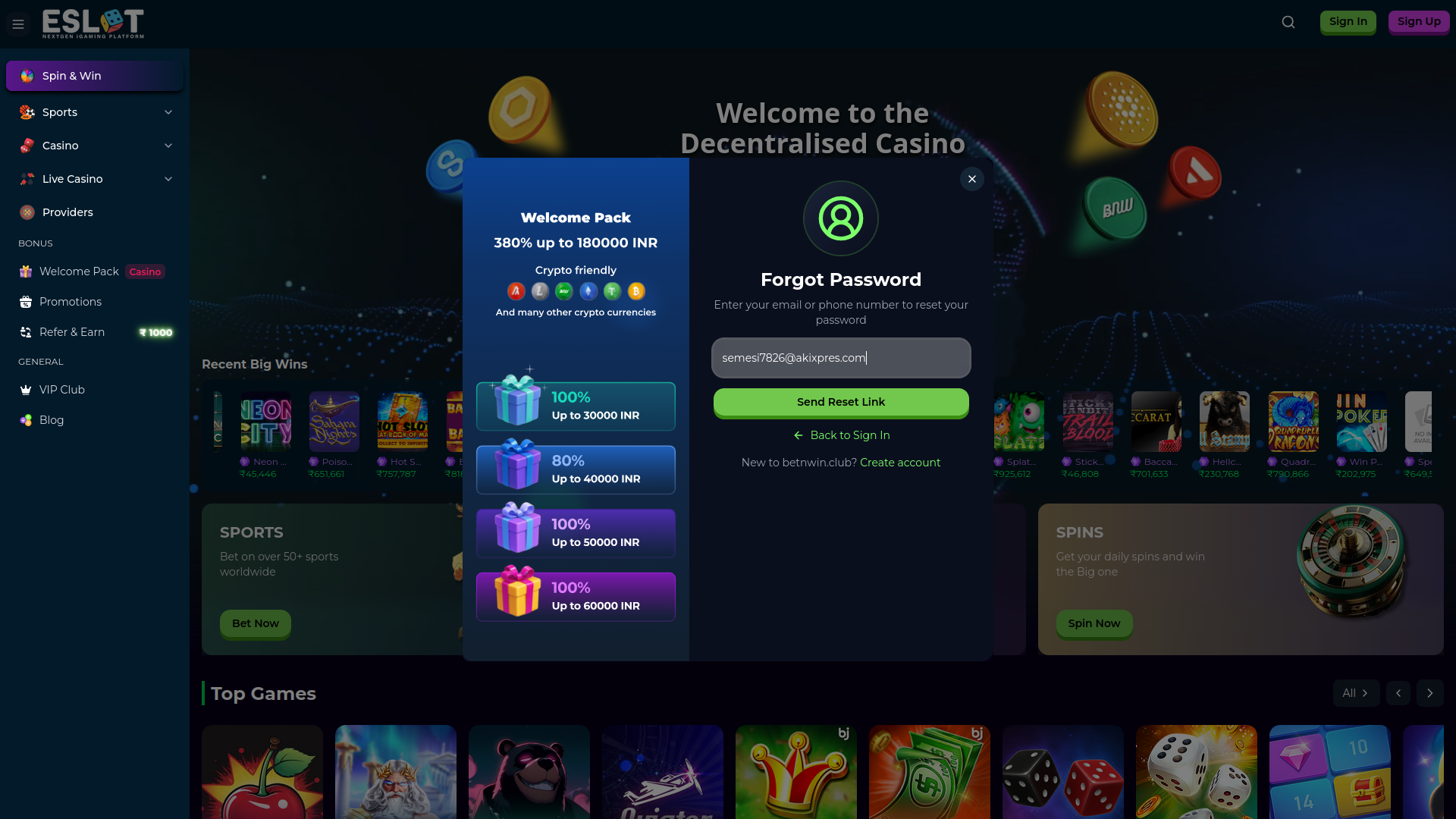
Enter your registered email or phone number
-
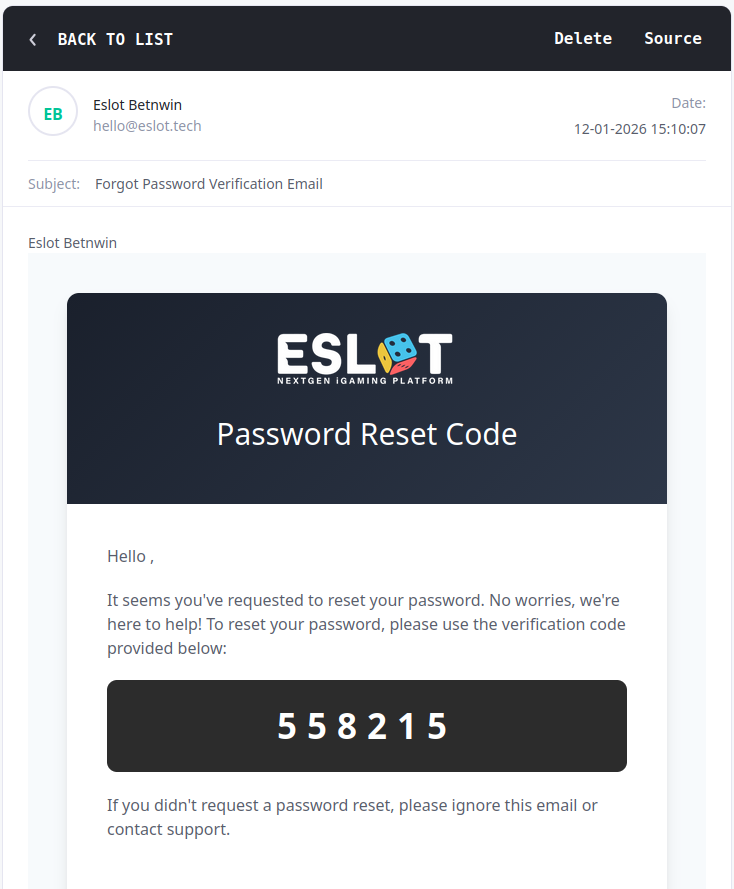
After giving the email, you will receive OTP at your email
-
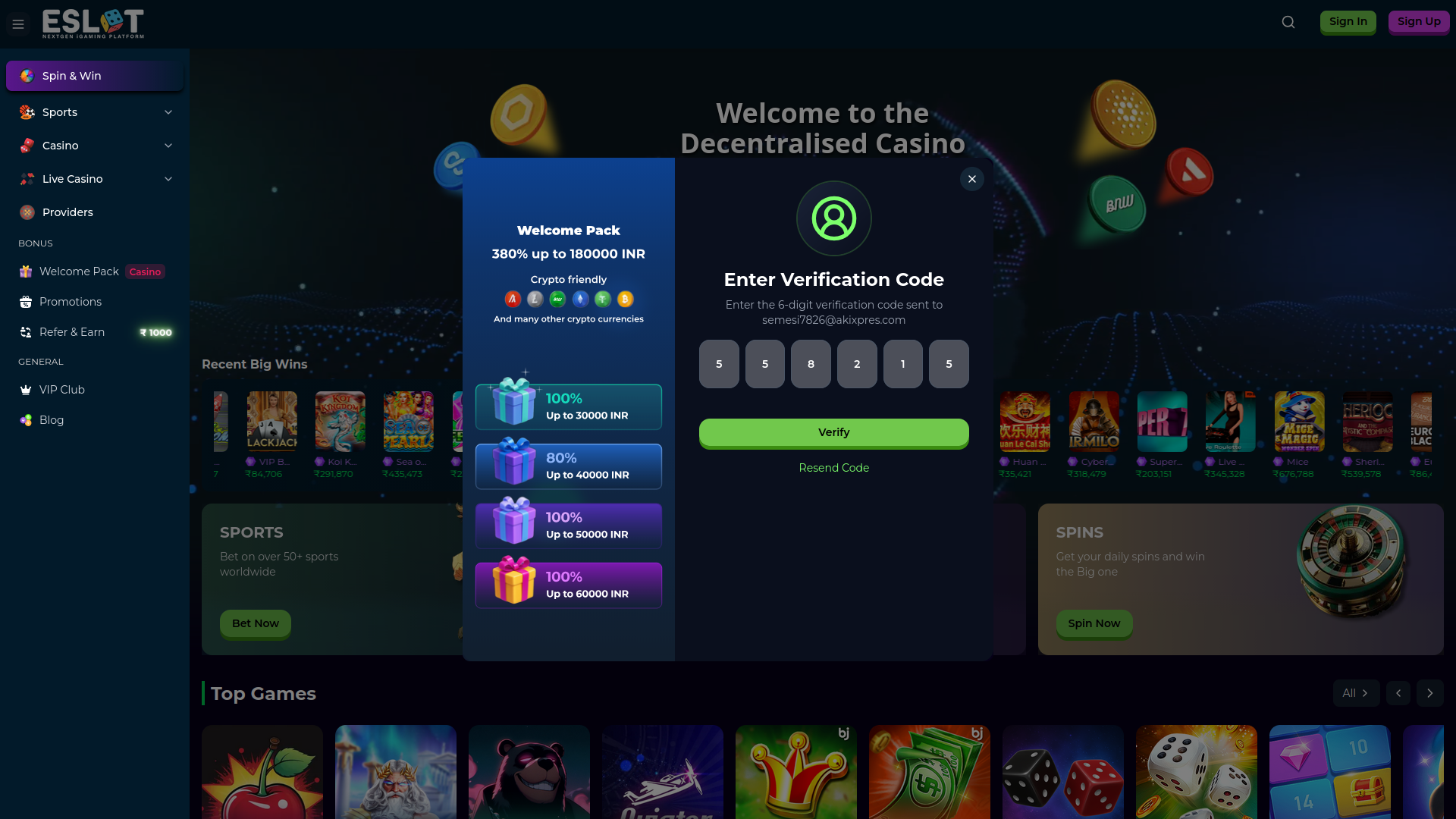
Input the OTP code here to change the password/ create new password
-
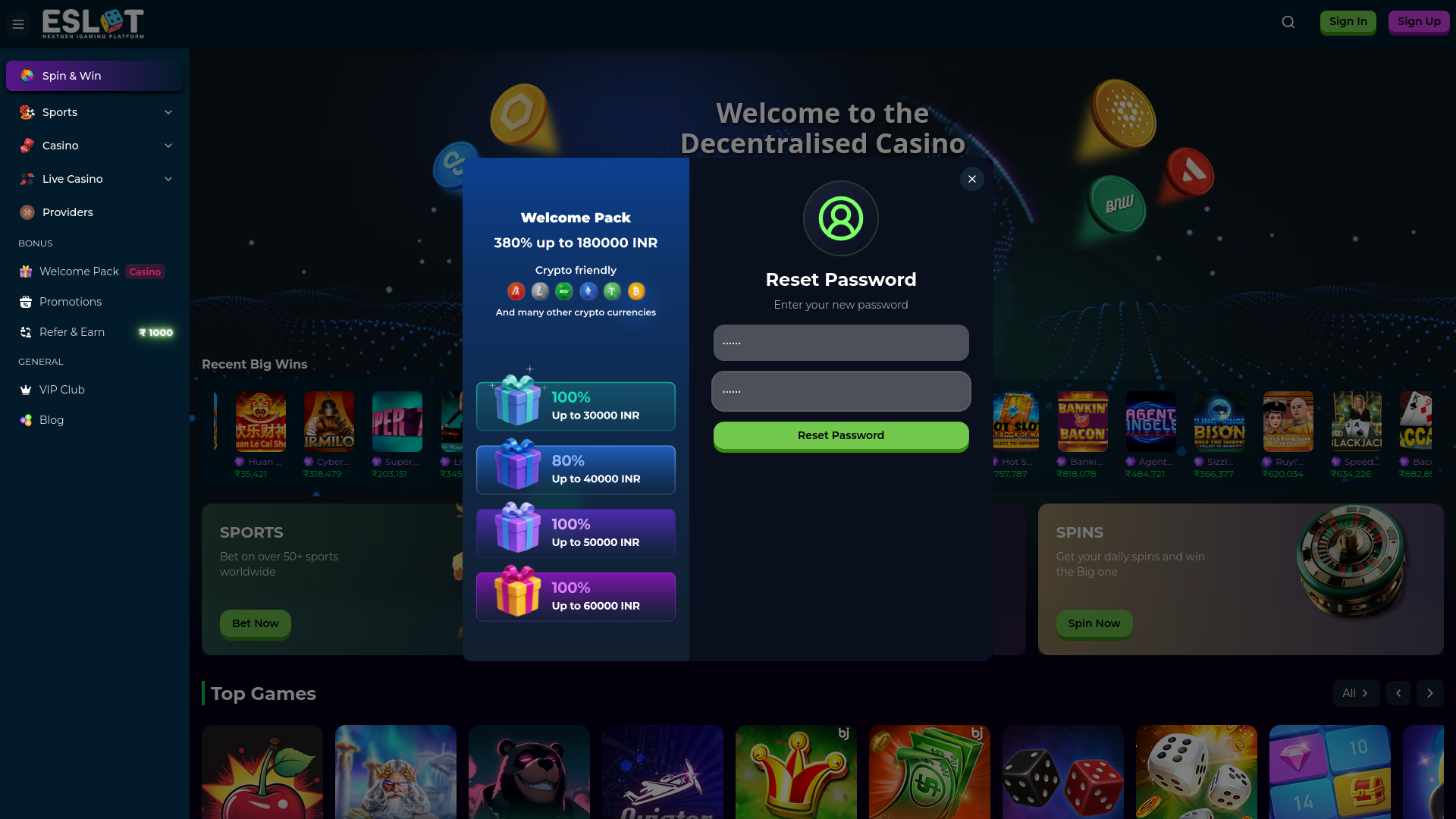
Submit new password here
-
Password is changed successfully.