

Dashboard Overview
After logging in, the dashboard displays:- Wallet balance
- Available games
- Active bonuses
- Notifications and messages
Notifications
Users receive notifications for:- Successful deposits or withdrawals
- Bonus activation or expiration
- System updates
Managing Profile Information
Users can:- Update personal details
- Update contact information
- View account status
-
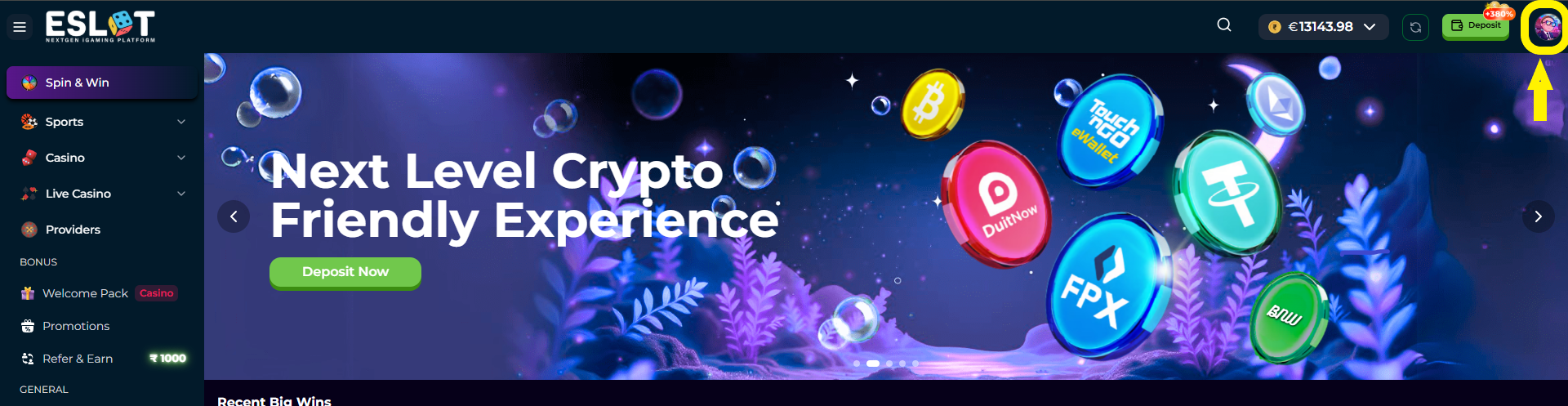
Click on the profile icon from the top right corner as shown at the picture
-
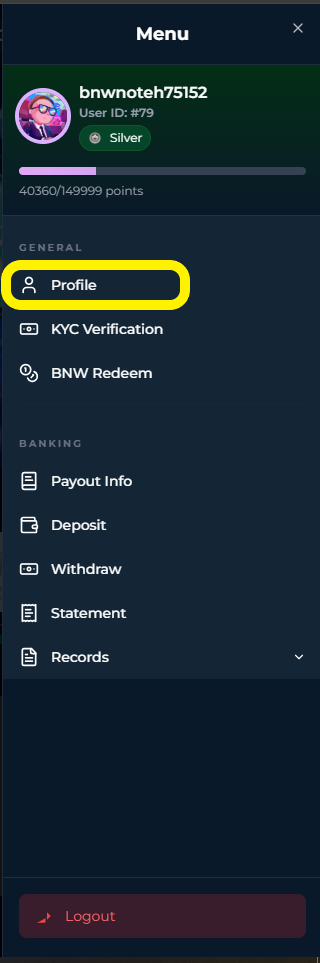
After that a menulist will open and from there click on “Profile”
-
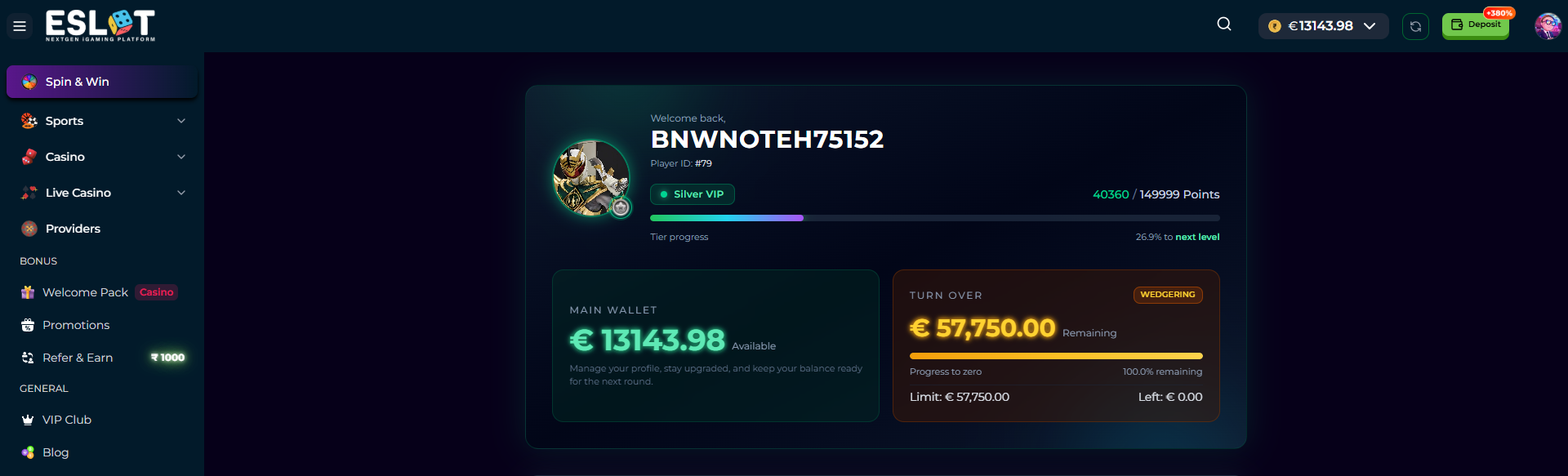
At the profile section, you can see your Username, ID, VIP Badge with progress, Loyalty Points, Wallet Balance and Turnover; all the details in a single page.
-
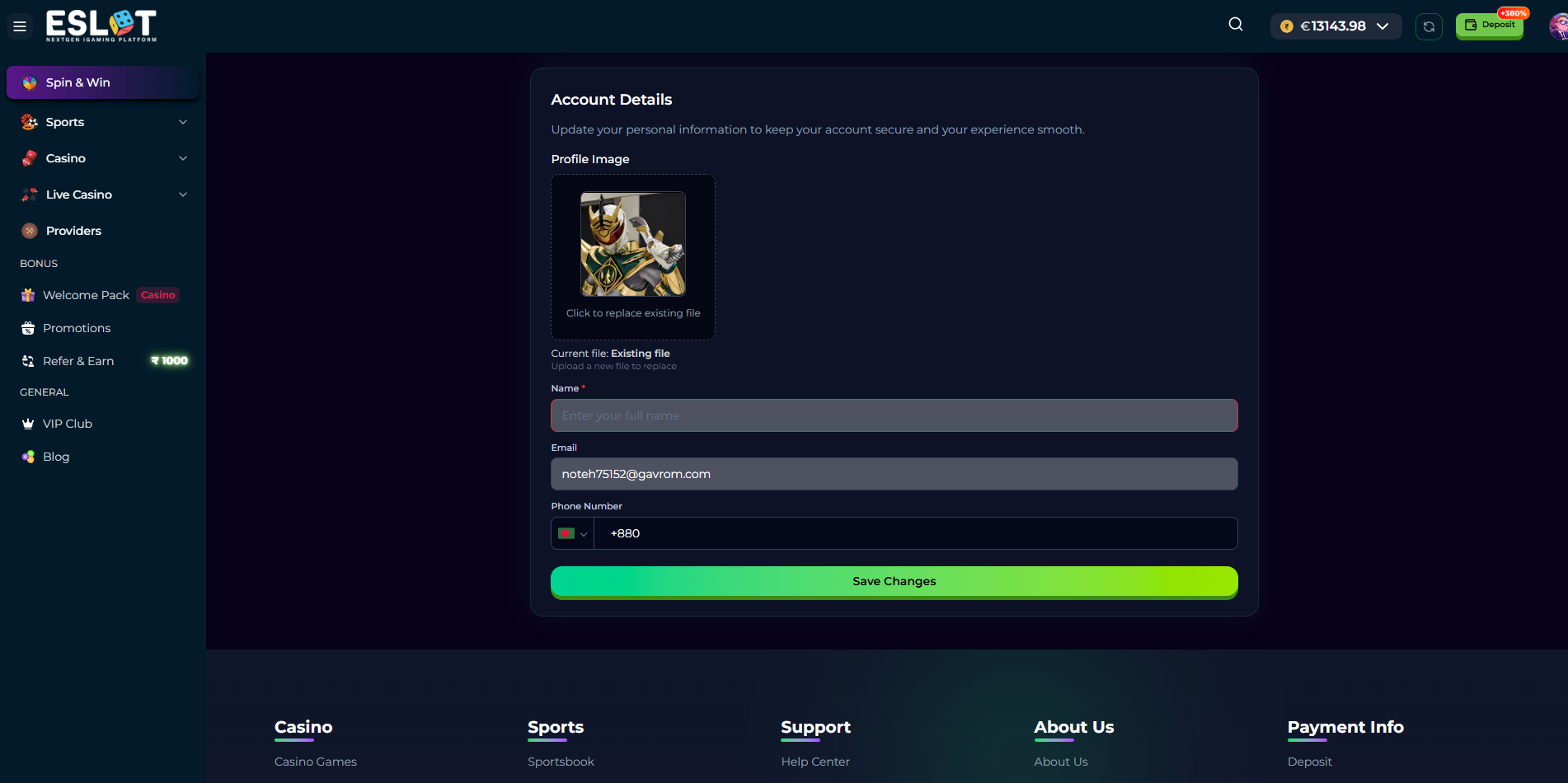
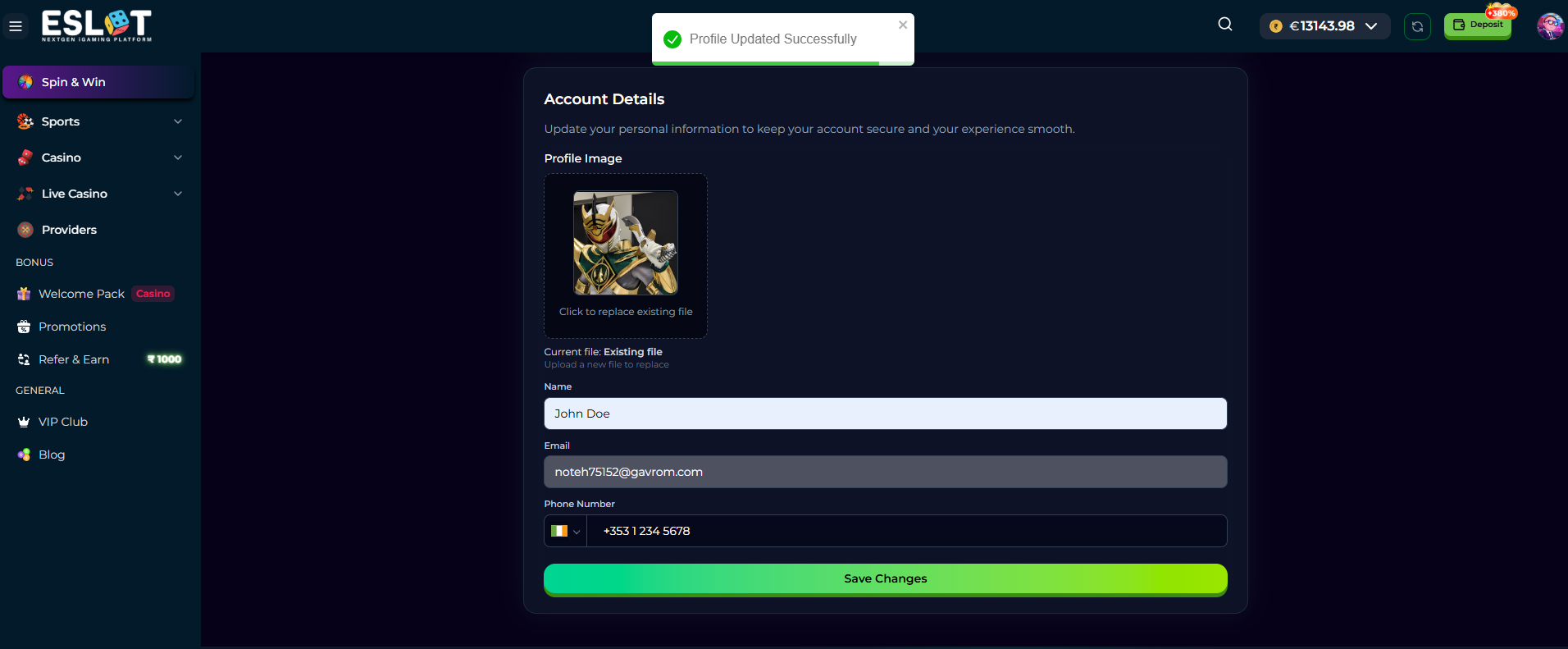
If you scroll the page to the bottom part, you will get the options to update your personal information - Name, Email and Phone Number for any country.
-
To update just write on the textboxes here and then click on “Save Changes”.
Security Settings
Users can:- Change account password
- Log out from the platform
- Use available security features