

When KYC Is Required
- Before first withdrawal
- When reaching certain deposit or withdrawal limits
- If requested by the platform for security reasons
Required Documents
Users may be asked to upload:- Government-issued photo ID (National ID / Passport / Driving License)
- Proof of address (utility bill or bank statement)
- Selfie or live photo for identity confirmation
How to Complete Manual KYC Verification Process
-
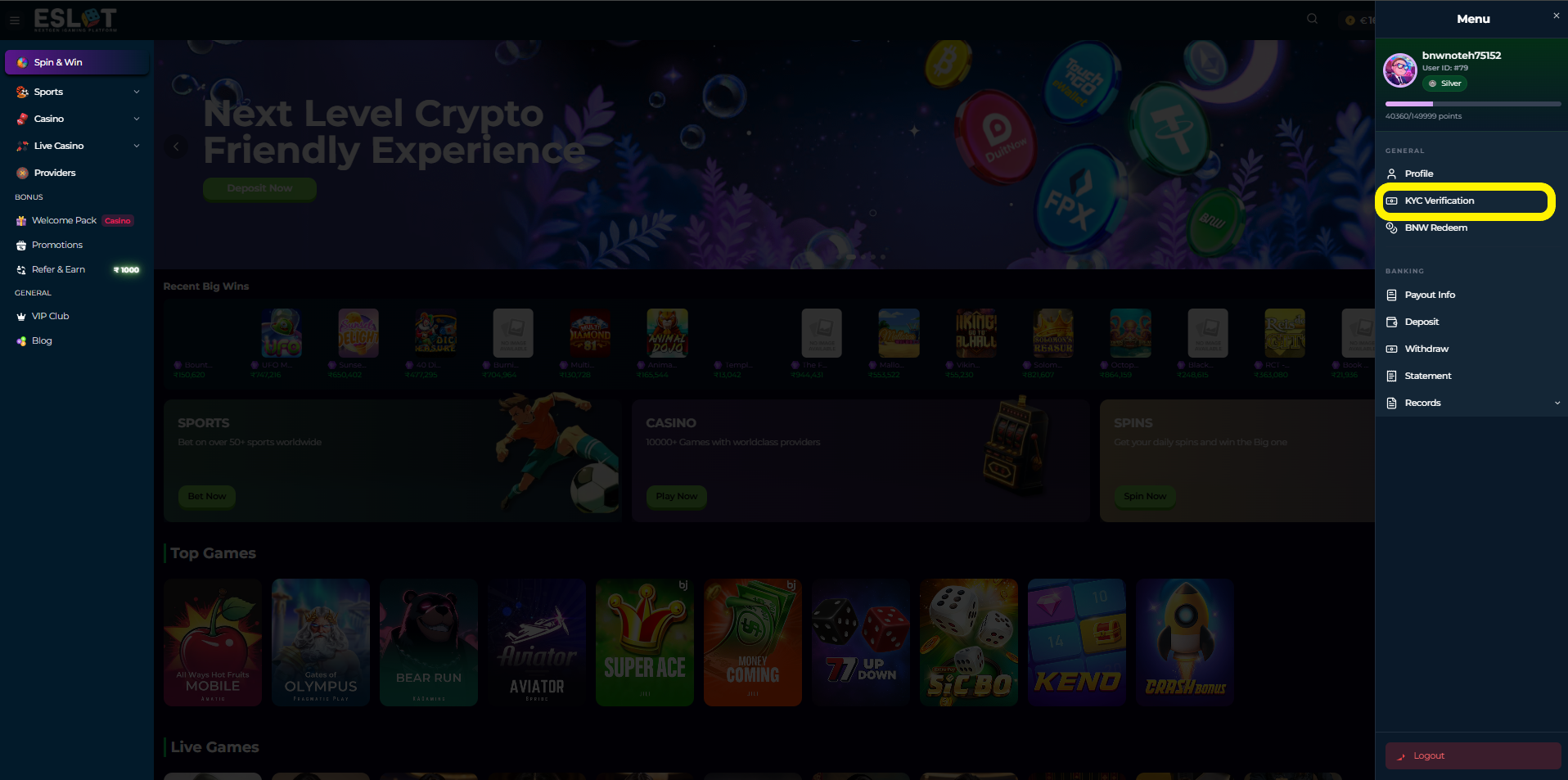
Go to Profile > KYC Verification
-
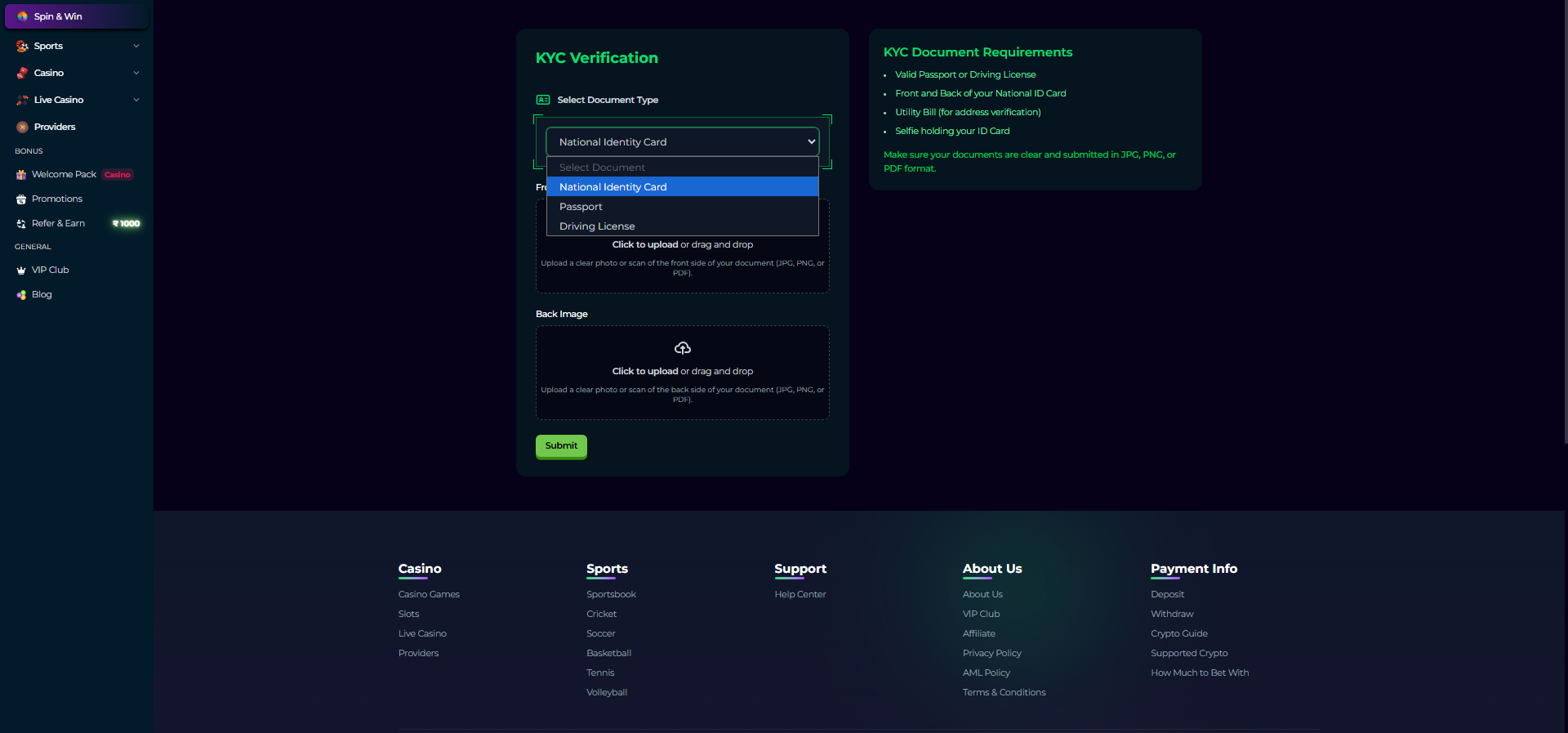
Choose the document type you want to submit-
-
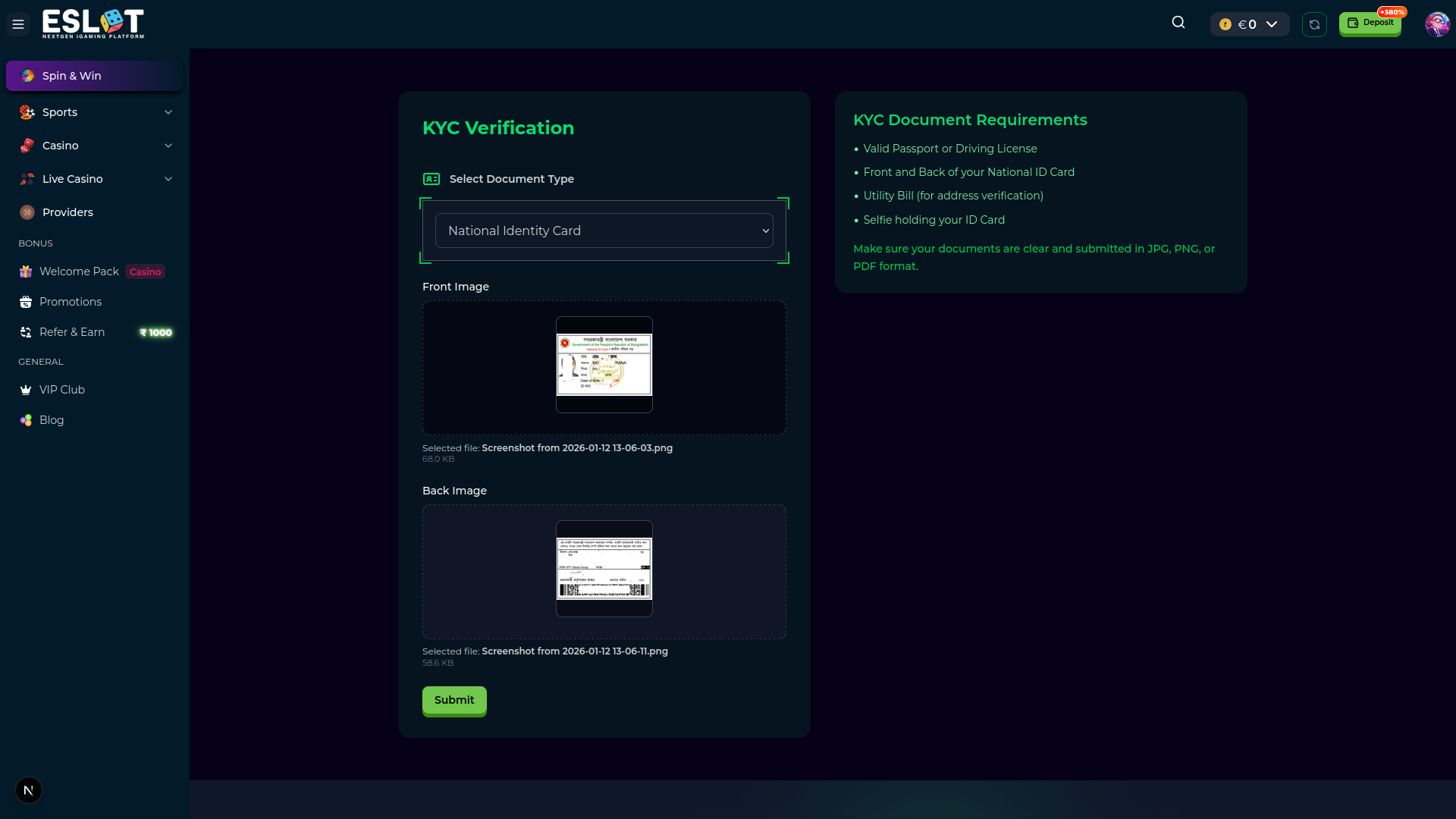
Submit the verification request - Here, the National Identity Document (NID) is used as an example. For NID, you need to submit both Front and Back side images.
-
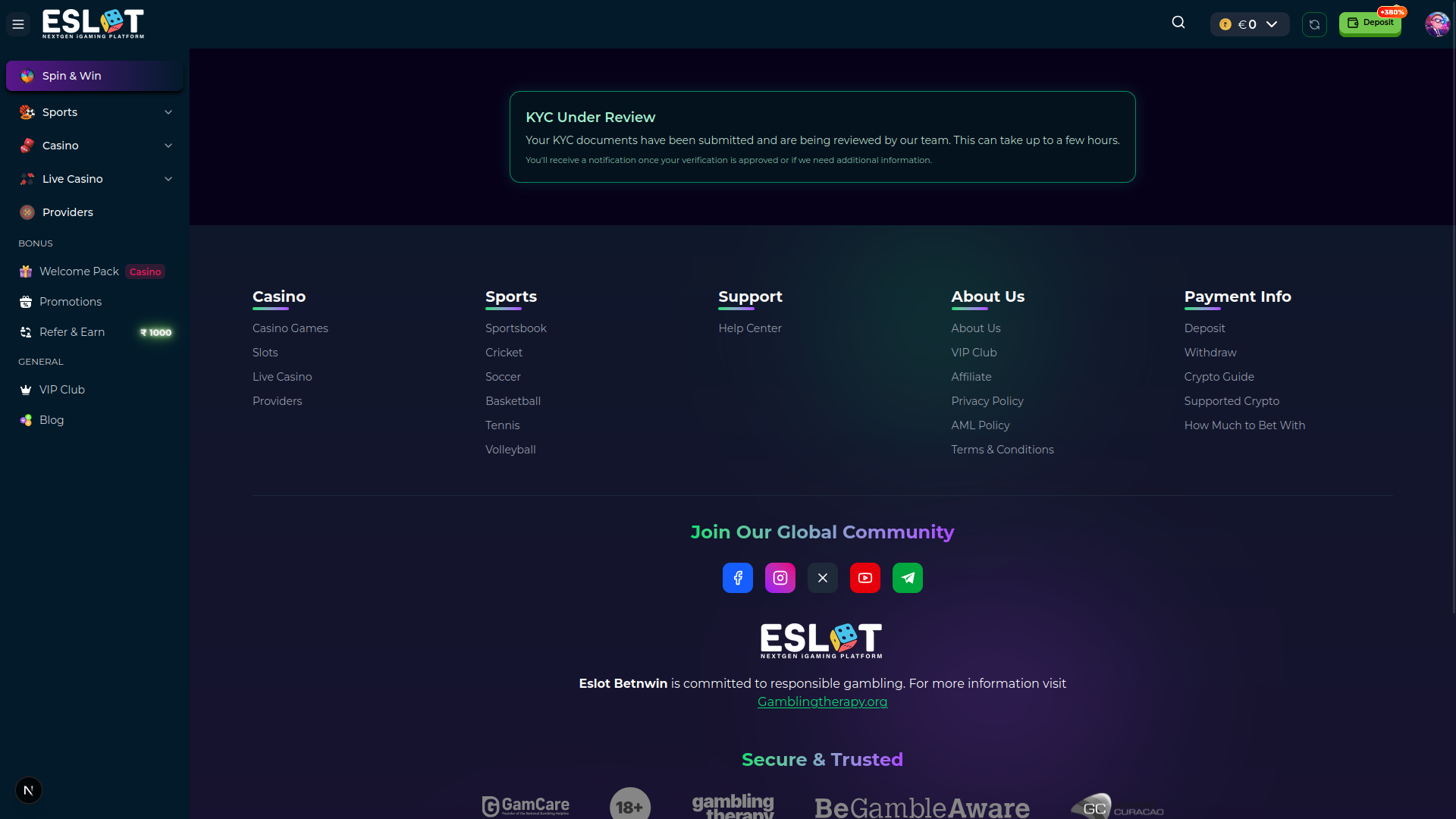
Wait for approval from the verification team. After a review from the team, they will either approve or reject the document.
-
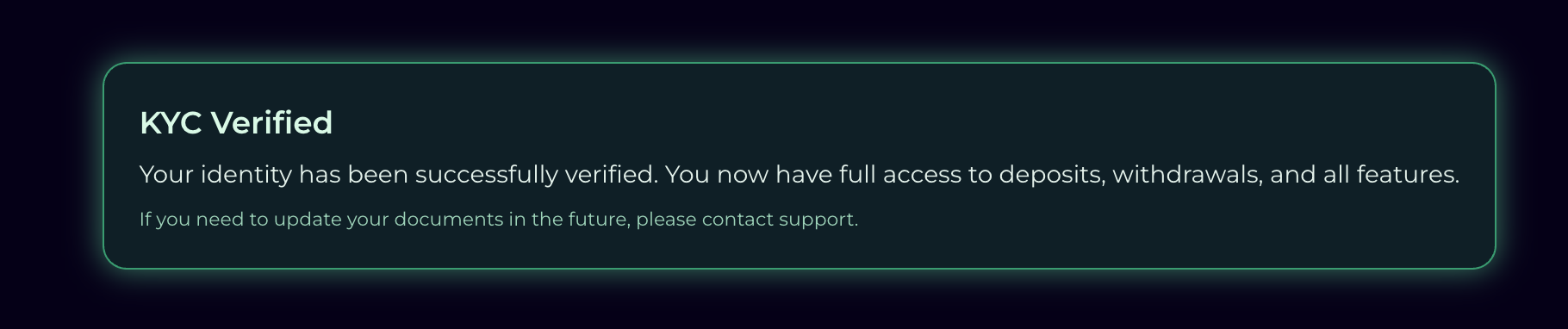
Success! Here, it’s showing the document is verified from the team.
KYC Status
- Pending: Documents under review
- Approved: Verification successful
- Rejected: Documents need resubmission (reason provided)
How to Complete Automated KYC Verification Process
Important Notes
- Documents must be clear and valid
- Information must match account details
- Verification processing time may vary