> ## Documentation Index
> Fetch the complete documentation index at: https://docs.theme.eslot.tech/llms.txt
> Use this file to discover all available pages before exploring further.
# Player Profile & Dashboard
### **Dashboard Overview**
After logging in, the dashboard displays:
* Wallet balance
* Available games
* Active bonuses
* Notifications and messages
### **Notifications**
Users receive notifications for:
* Successful deposits or withdrawals
* Bonus activation or expiration
* System updates
### **Managing Profile Information**
Users can:
* Update personal details
* Update contact information
* View account status
Here is a detailed instruction for how to go to the profile section and update/edit that information.
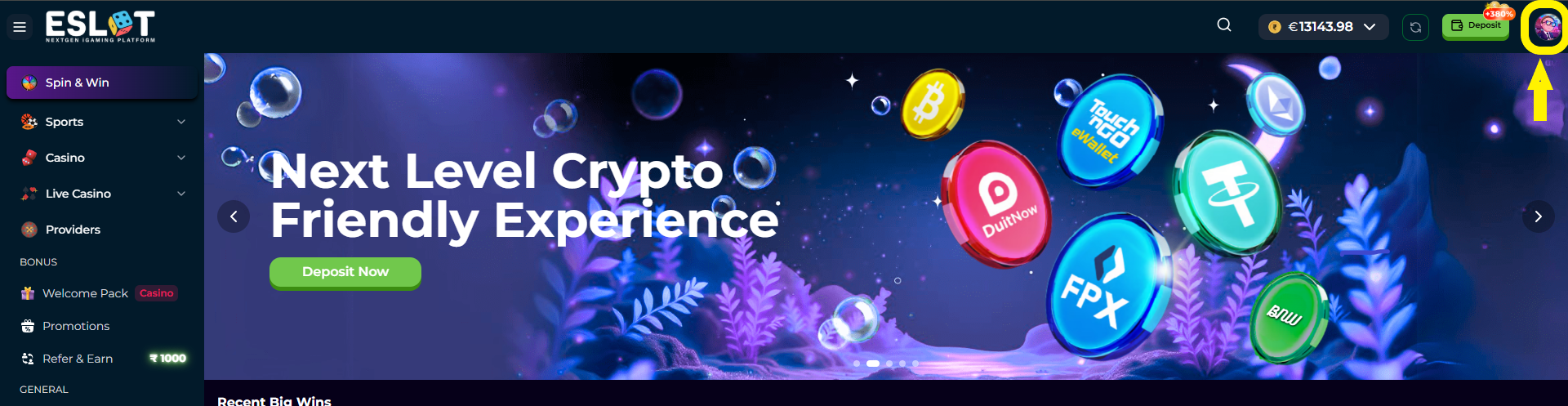
1. Click on the profile icon from the top right corner as shown at the picture
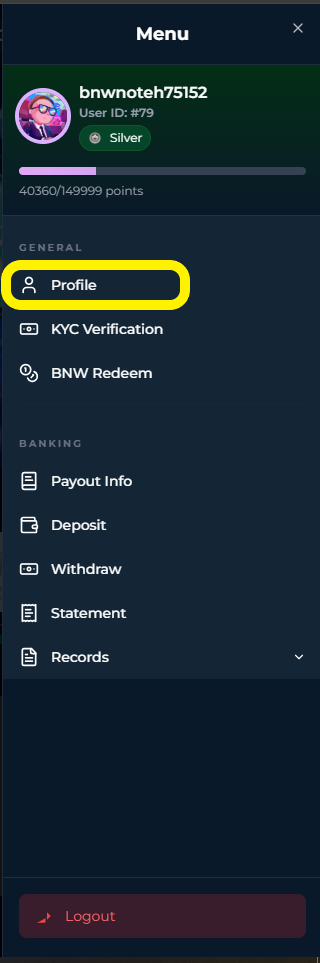
2. After that a menulist will open and from there click on “Profile”
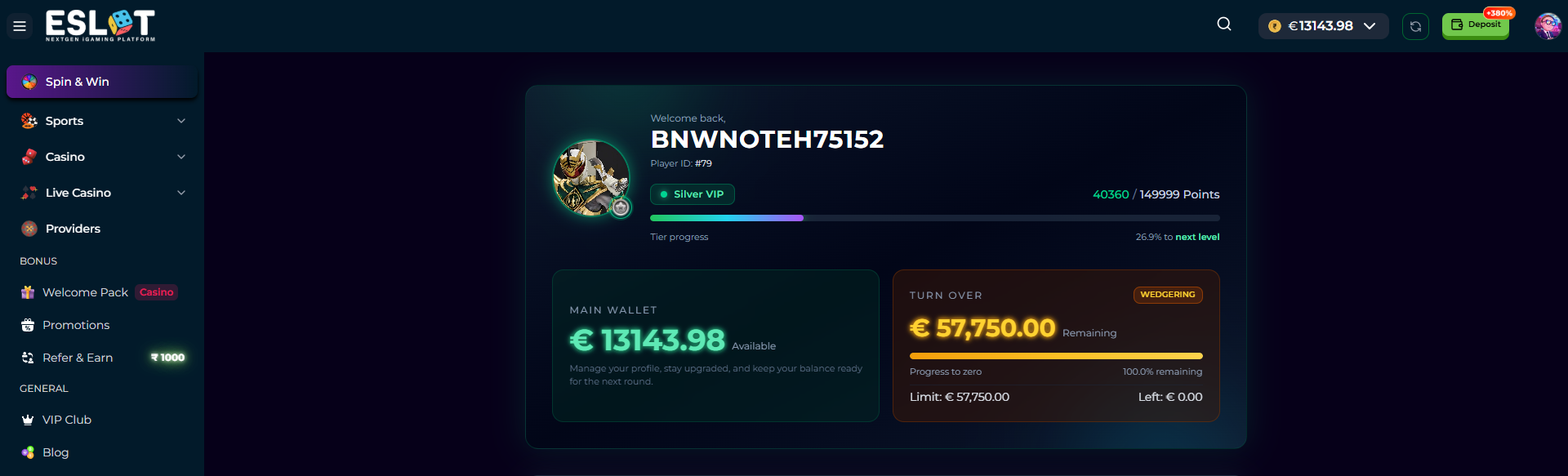
3. At the profile section, you can see your Username, ID, VIP Badge with progress, Loyalty Points, Wallet Balance and Turnover; all the details in a single page.
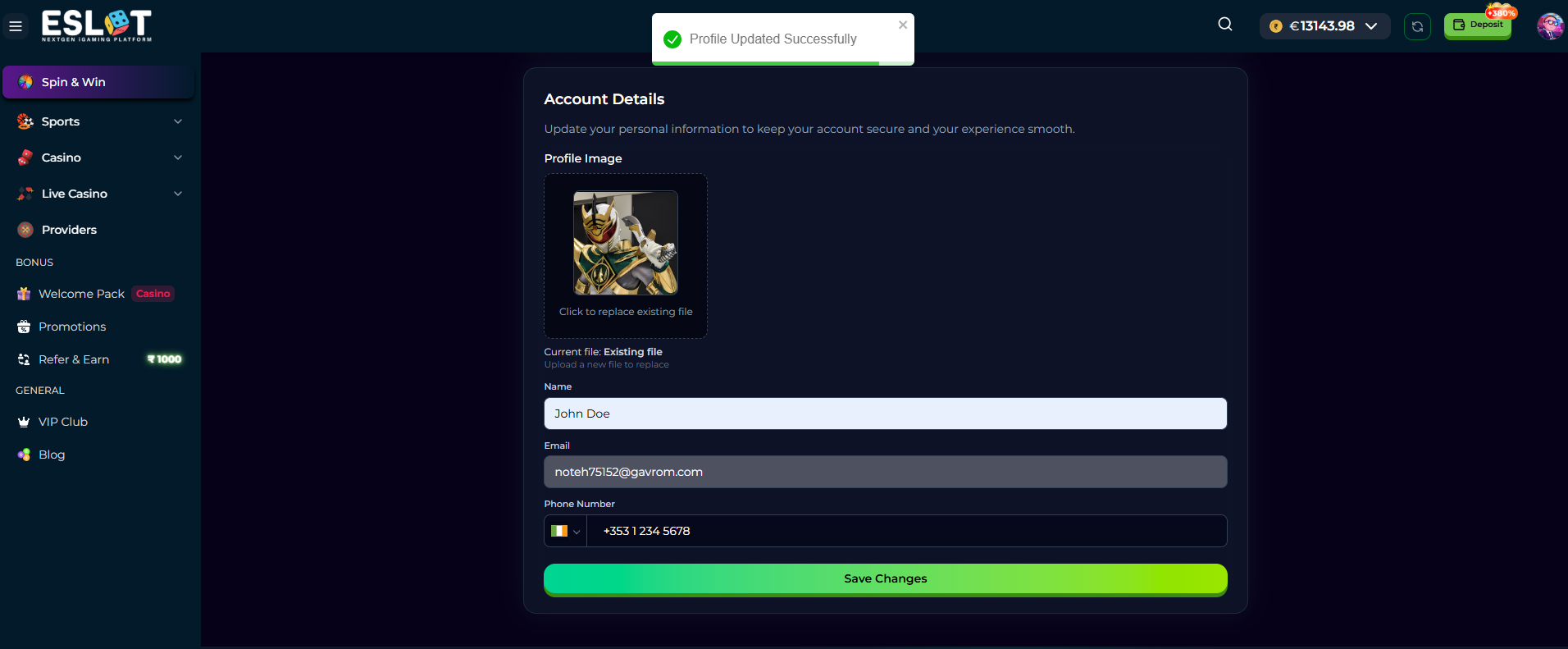
4. If you scroll the page to the bottom part, you will get the options to update your personal information - Name, Email and Phone Number for any country.
5. To update just write on the textboxes here and then click on “Save Changes”.
### **Security Settings**
Users can:
* Change account password
* Log out from the platform
* Use available security features
 2. After that a menulist will open and from there click on “Profile”
 3. At the profile section, you can see your Username, ID, VIP Badge with progress, Loyalty Points, Wallet Balance and Turnover; all the details in a single page.
 4. If you scroll the page to the bottom part, you will get the options to update your personal information - Name, Email and Phone Number for any country.
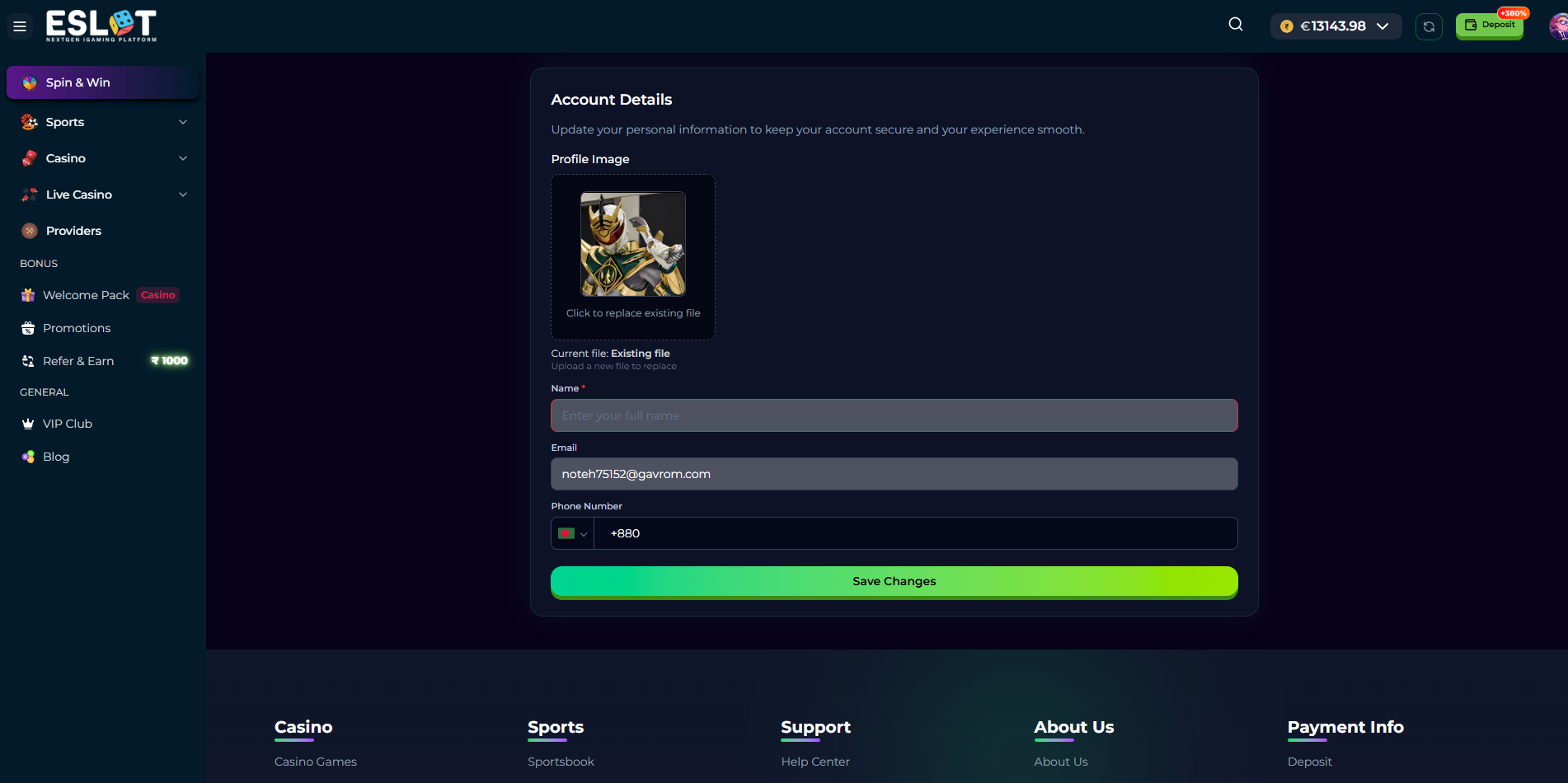 5. To update just write on the textboxes here and then click on “Save Changes”.
 ### **Security Settings**
Users can:
* Change account password
* Log out from the platform
* Use available security features
### **Security Settings**
Users can:
* Change account password
* Log out from the platform
* Use available security features