> ## Documentation Index
> Fetch the complete documentation index at: https://docs.theme.eslot.tech/llms.txt
> Use this file to discover all available pages before exploring further.
# Kyc Verification
> KYC verification is required to ensure account security, prevent fraud, and comply with legal and regulatory requirements.
### **When KYC Is Required**
* Before first withdrawal
* When reaching certain deposit or withdrawal limits
* If requested by the platform for security reasons
### **Required Documents**
Users may be asked to upload:
* Government-issued photo ID (National ID / Passport / Driving License)
* Proof of address (utility bill or bank statement)
* Selfie or live photo for identity confirmation
### **How to Complete Manual KYC Verification Process**
1. Go to Profile > KYC Verification
2. Choose the document type you want to submit-
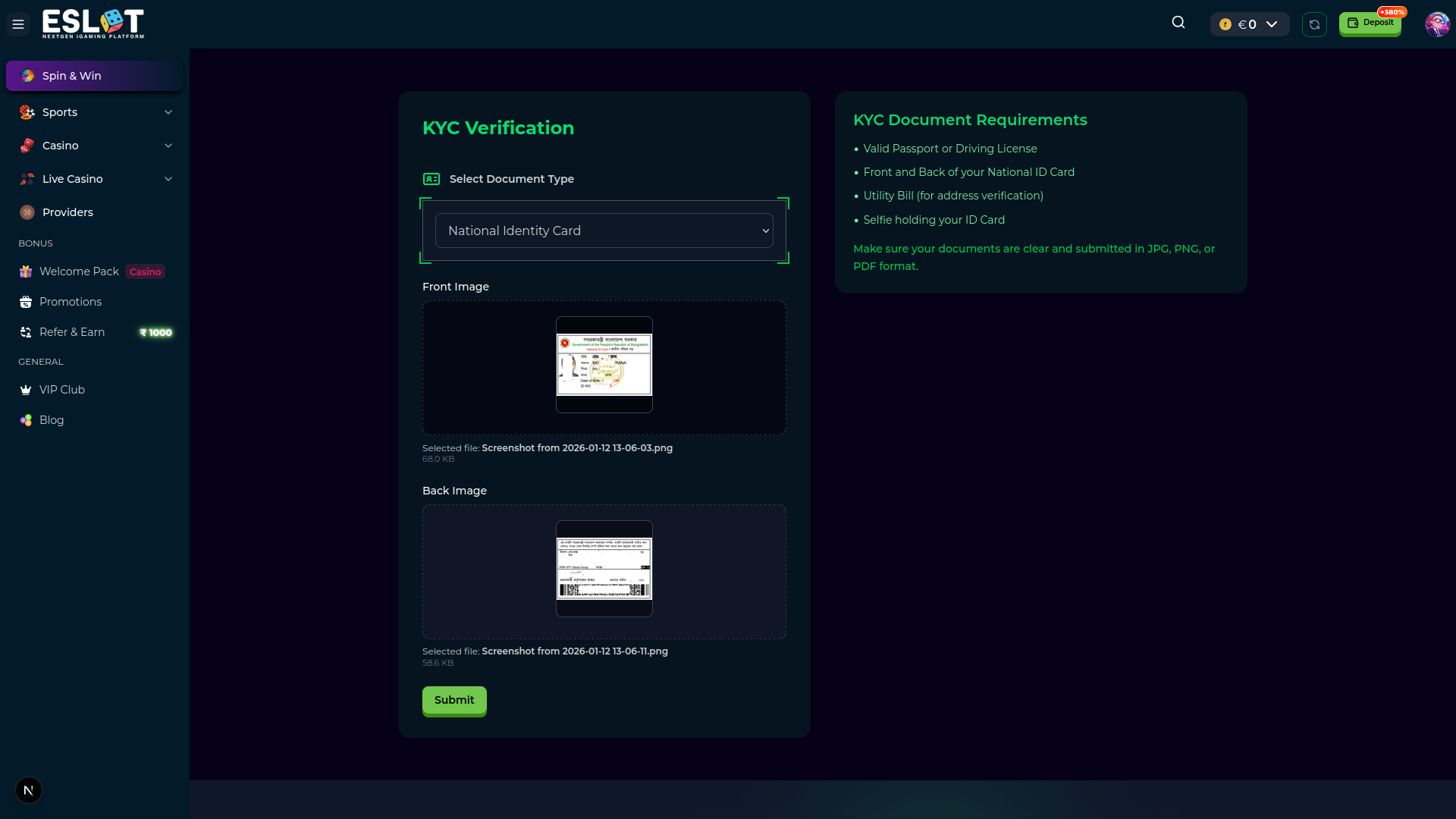
3. Submit the verification request - Here, the National Identity Document (NID) is used as an example. For NID, you need to submit both Front and Back side images.
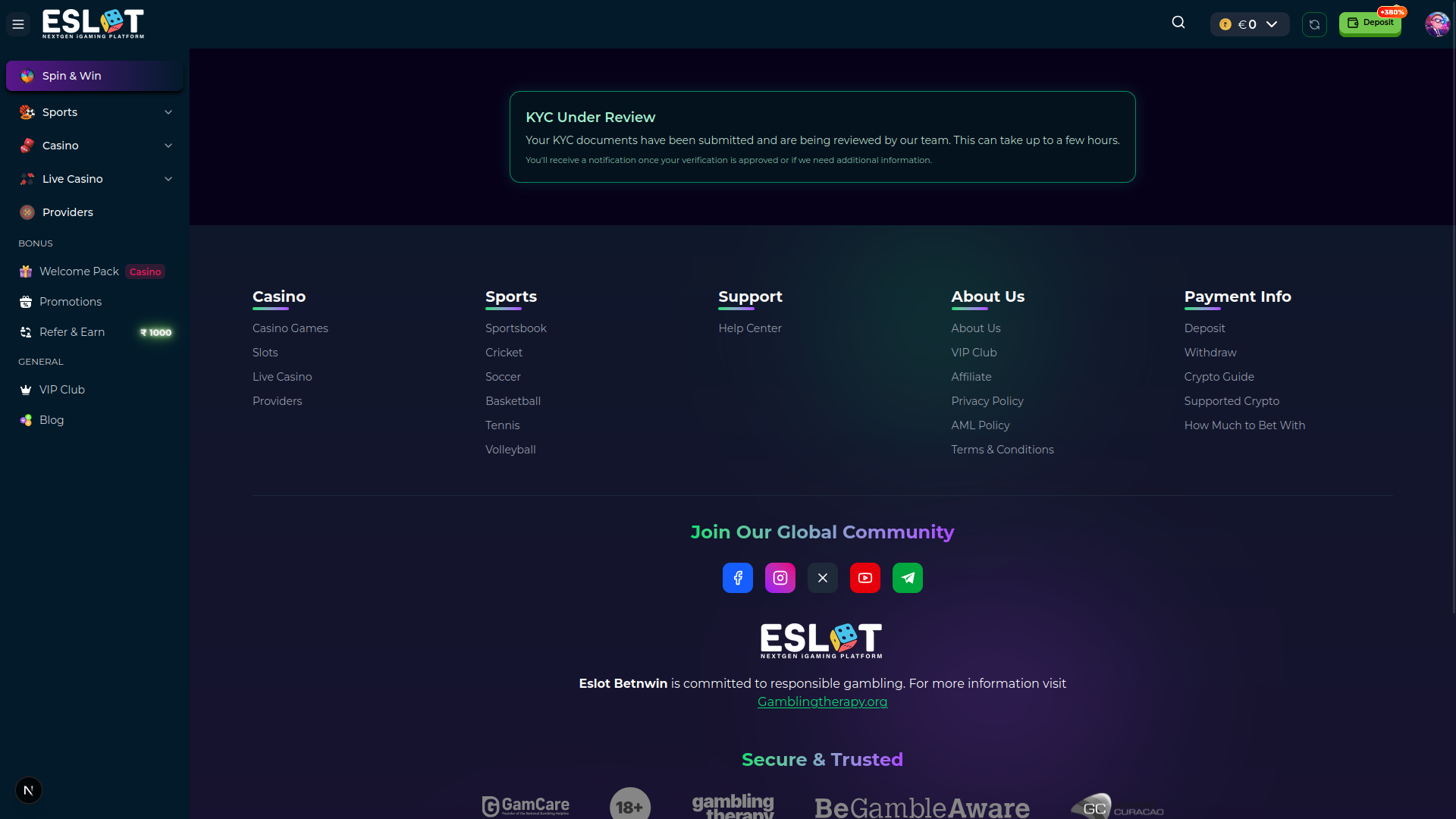
4. Wait for approval from the verification team. After a review from the team, they will either approve or reject the document.
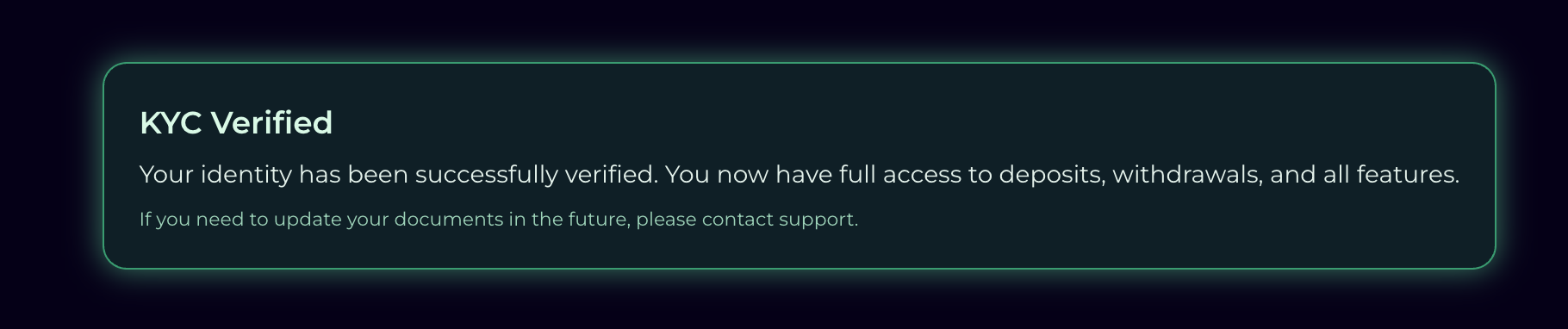
5. Success! Here, it’s showing the document is verified from the team.
### **KYC Status**
* Pending: Documents under review
* Approved: Verification successful
* Rejected: Documents need resubmission (reason provided)
### **How to Complete Automated KYC Verification Process**
### **Important Notes**
* Documents must be clear and valid
* Information must match account details
* Verification processing time may vary
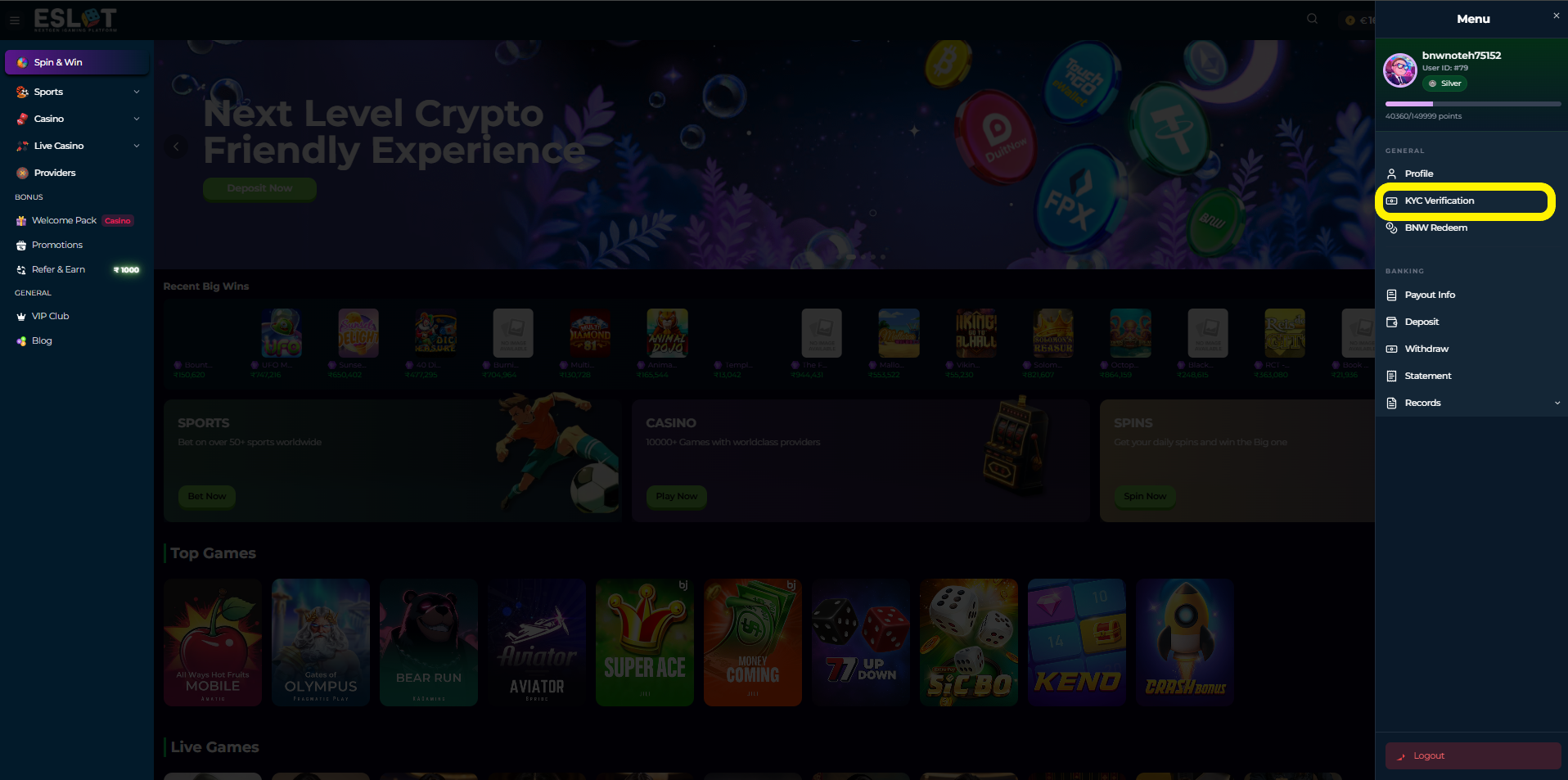 2. Choose the document type you want to submit-
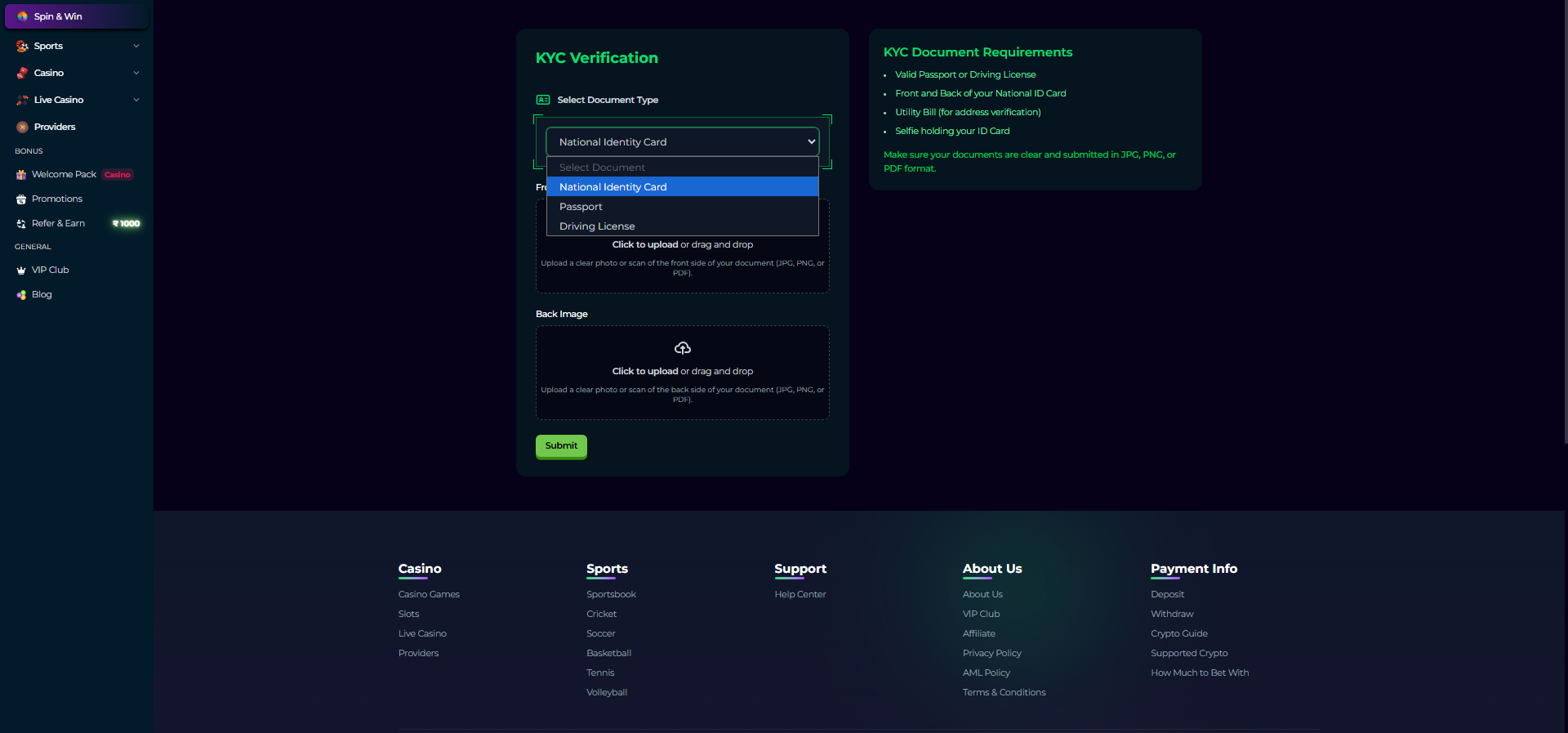 3. Submit the verification request - Here, the National Identity Document (NID) is used as an example. For NID, you need to submit both Front and Back side images.
 4. Wait for approval from the verification team. After a review from the team, they will either approve or reject the document.
 5. Success! Here, it’s showing the document is verified from the team.
 ### **KYC Status**
* Pending: Documents under review
* Approved: Verification successful
* Rejected: Documents need resubmission (reason provided)
### **How to Complete Automated KYC Verification Process**
### **Important Notes**
* Documents must be clear and valid
* Information must match account details
* Verification processing time may vary
### **KYC Status**
* Pending: Documents under review
* Approved: Verification successful
* Rejected: Documents need resubmission (reason provided)
### **How to Complete Automated KYC Verification Process**
### **Important Notes**
* Documents must be clear and valid
* Information must match account details
* Verification processing time may vary